................................ Return to Sumner's Home Page....
Return to N Scale RR Main Menu.................. Return to Trackwork Menu
=========================================
...............Previous Page......................................Next Page If There Is One
=========================================
….--- Easy Install--Self-centering Servo Bracket 2 Limit Switches ---
…..................--- Print files for the mount ( HERE ) ---
=========================================
This is an adaptation of the servo bracket that I have up ( HERE ) that you can mount two micro limit switches on if you need two. If you went to that link you would of seen that there are some tools you can print that make it easy to mount the servo bracket 'dead-center' under the hole in the throwbar.
This model of the servo bracket takes all of that one step further, you don't need any tools to easily/quickly mount the servo bracket with the servo on it under the layout in a minute or so. Also the piano control wire up to the turnout will be perfectly centered the first time.
On the next page you will find a bracket that can be used under the layout using only one screw. You can also mount it in a number of cases working from the side of the layout with no need to go under the layout. Info on it ( HERE ).
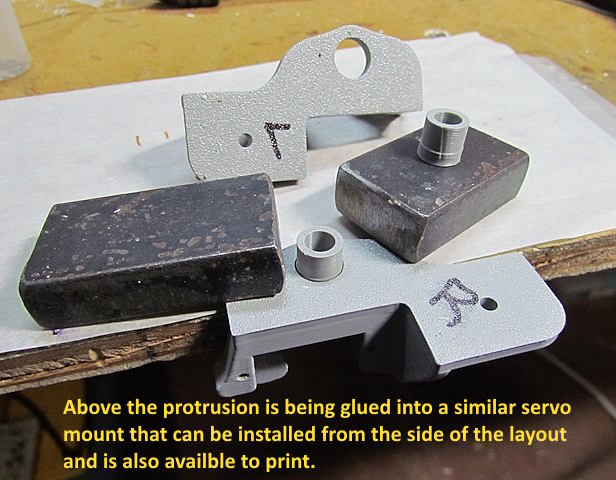
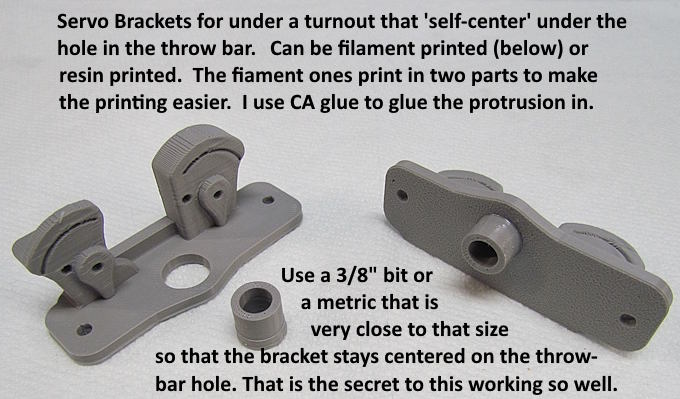
Above is the version of the bracket if you are filament printing. Put the bracket and top protrusion on the printer's build plate as shown at the left. Then.....
..... glue the round protrusion in the top of the bracket as shown above (bracket above is the 'side-mount' bracket on the next page but this step is the same).
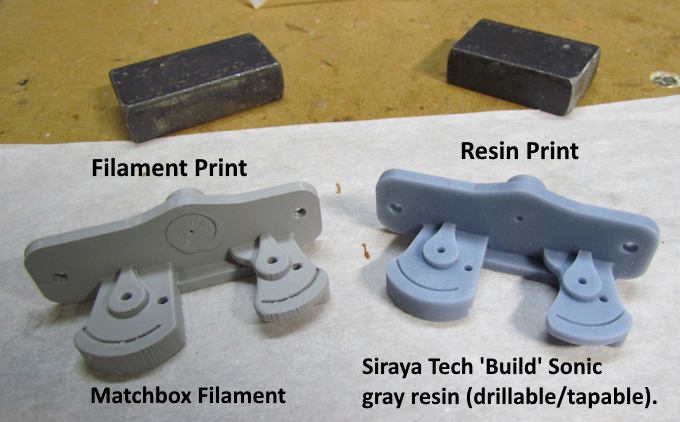
Above on the right is the resin print. The bracket in this case prints as one piece and....
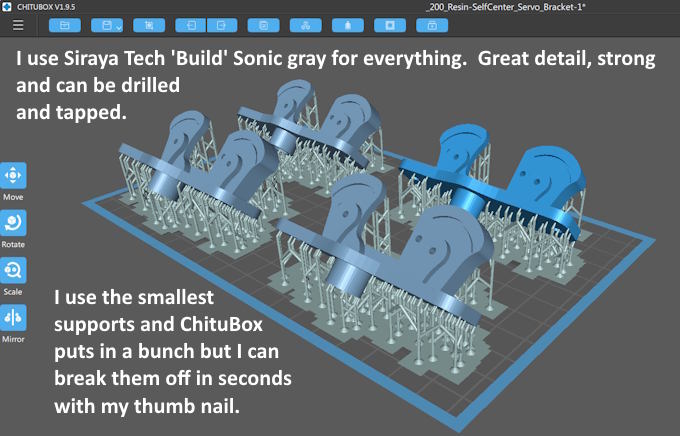
.... I place mine on the build plate as shown above. Notice that I'm using a resin that is strong and can be drilled and tapped. The resin also prints N scale rivets on other prints so I use it for everything.
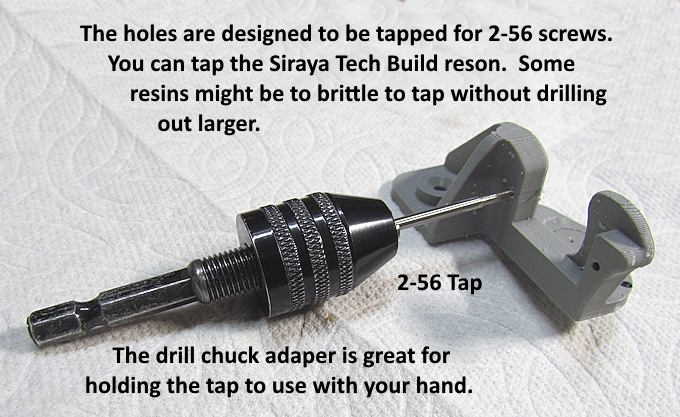
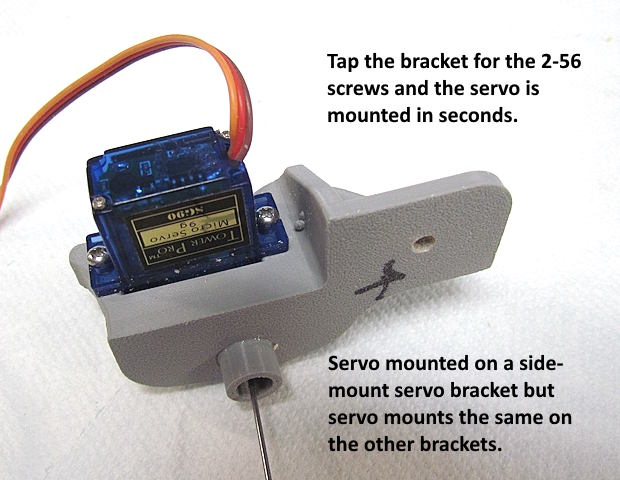
If you use a 2-56 tap you should be able to tap the filament and resin prints with out pre-drilling them.
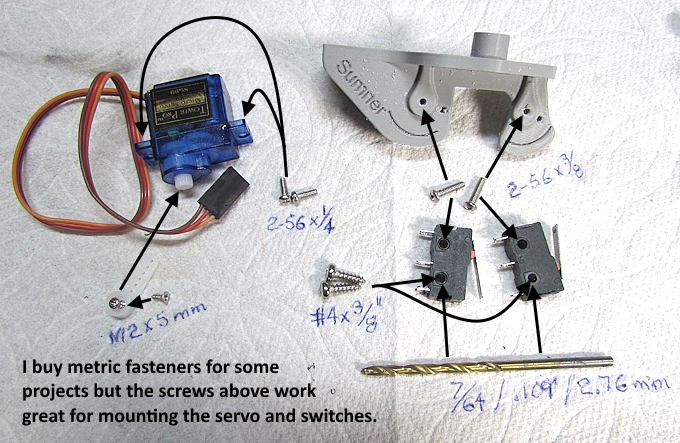
The #4 x 3/8" self-tapping screws work fine in the bottom of the limit switches to lock the switch in place after adjusting it if you can't get the top screw to hold the limit switch.
I realize some of you are metric oriented. If you can't find a metric size tap/screw to work consider buying the 2-56 tap and screws. They work perfect for the servo and the micro limit switch mounting. I use SAE fasteners for most my projects but also buy metric fasteners for some. They are both easy to find now via the internet regardless of where you live.
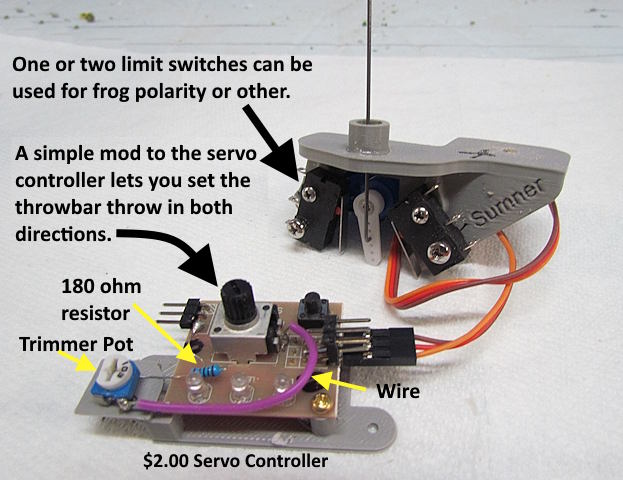
Above is a bracket (side-mount one) ready to mount with 2 limit switches on it. In this case one will be used to control the frog polarity of the turnout and the other will control the polarity of one frog on a crossing just past the turnout. On the other side of the crossing there is another turnout. One of the two limit switches on that servo bracket will control the polarity of the other frog on the crossing. One switch on the control panel will throw both turnouts for the crossing route and the frog polarity of the turnouts and the crossing will all be handled by the limit switches on the servo bracket.
I use $2.00 servo brackets with 5 minute mods to control my servos, more info ( HERE ), but you can control them a number of ways.
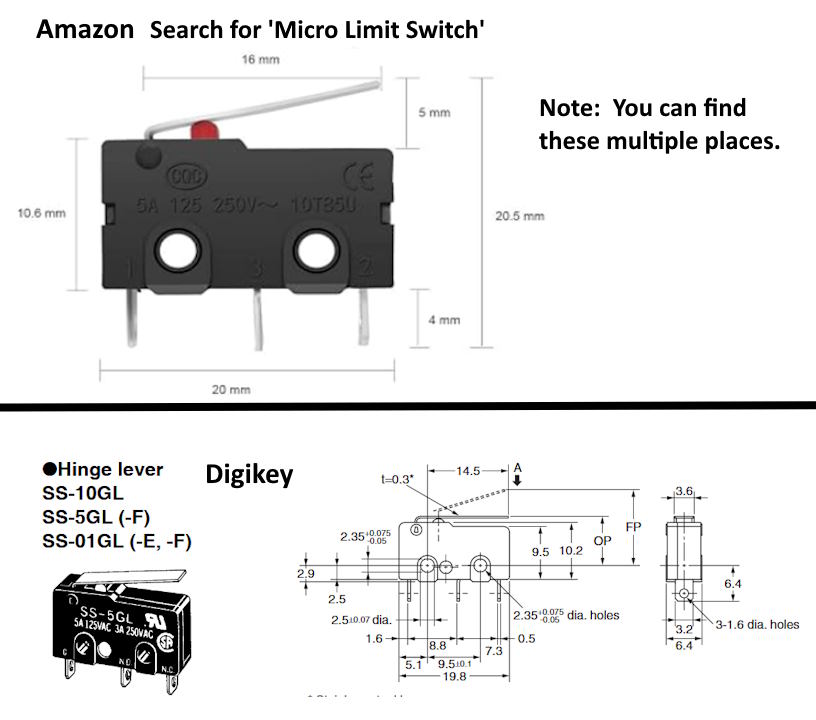
Limit switches like above will work on the bracket.
Drop the servo into the back side of the bracket and run two 2-56 screws in to attach the servo to the bracket.
========================================================================
Servo Bracket Install:
1. Place the turnout 'exactly' where you want it and mark its position.
2. Drill through the hole in the throwbar into the layout top. I use .037" piano wire and put a .040" hole in the throwbar.
3. Remove the turnout.
4. Use a small drill bit to enlarge the .040" hole but keep drilling dead-center as you step the hole size up in a couple steps (this will keep it centered).
5. I stop with a 3/16" (.188"/5mm) bit and wobble it back and forth at 90 deg to the turnout (see video) to make room for the piano wire movement.
6. See steps below for another option on drilling out the hole.
7. Take a 1/4", 11/32" and 3/8" below the layout and drill up through the 3/16" hole until the hole is enlarged to 3/8". It is important to step up in drill bit sizes to keep the hole centered. You also don't want to drill all the way through the top of the layout if you want the hole there to stay small. I drill through the 1/2" plywood under my 1" foam board and slightly into the foam.
8. Take the servo bracket with the servo and limit switches on it and put it up into the 3/8" hole. I have the servo moved to where the piano wire is straight up and down. The hole, if you haven't oversized, it will perfectly center the bracket and piano wire above.
9. The bracket should be at 90 degrees (perpendicular) to the turnout above it. Drill two pilot holes using the bracket as a guide and put two mounting screws in to hold the bracket. You are done!!
Option 2:
1. You can drill, in steps, up to 3/8" all from above if you want and ....
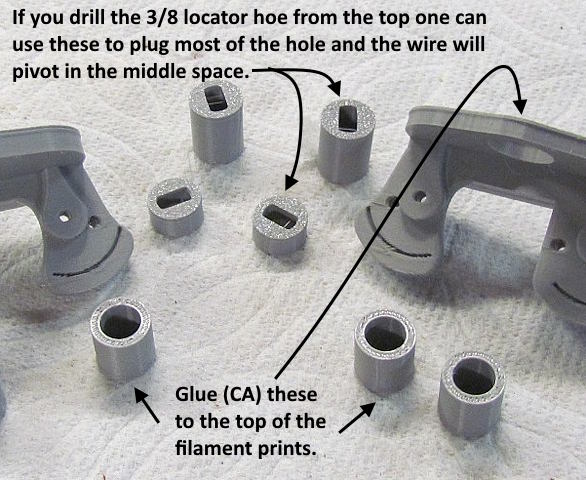
..... then plug the hole from above with one of the plugs shown above. They have an elongated slot in the top for the piano wire to move in. There are two lengths to choose from depending on the thickness of the surface under the turnout. They don't need to go very far down and can be covered with ground cover.
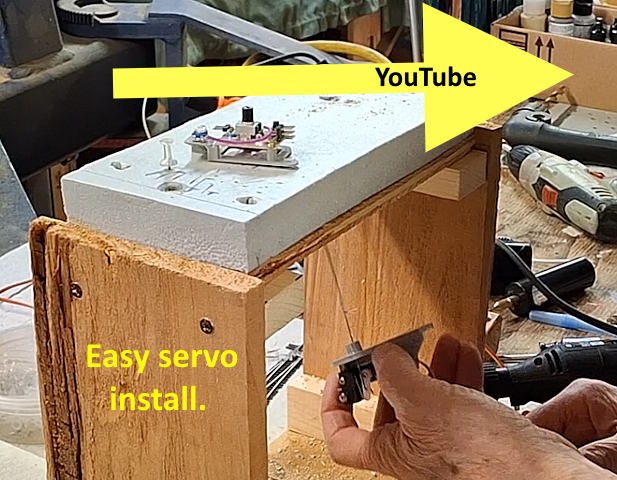
The video above or ( HERE ) shows how to mount one of the side mount servo brackets. Mounting the brackets on this page would be somewhat similar except you would have to go under the lay probably to put the two mounting screws in. Consider the side mount brackets shown in the video if you can mount from the side of the layout or even if you have to go under. The one mounting screw is easier to use than the two small ones. The more traditional brackets shown here are a little smaller so that might make a difference if you are in a tight location.
You can find the files to print this on my thingiverse.com account ( HERE ).
You can find all the files to 3D print this object and others on my thingiverse.com account ( HERE ).
=========================================
...........................On..............e.........Next Page If There Is One