.................................. Return to Sumner's Home Page....
Return to N Scale RR Main Menu........ Return TrackManager Menu
=========================================
..............Previous Page..............................Next Page If There Is One
=========================================
.............--- Installing DCC-EX on Nucleo-F439Z1 ---=========================================
To load DCC-EX onto the Nucleo-F439Z1 you would normally use the one on the EX-Installer page here …
https://dcc-ex.com/ex-installer/installing.html#gsc.tab=0
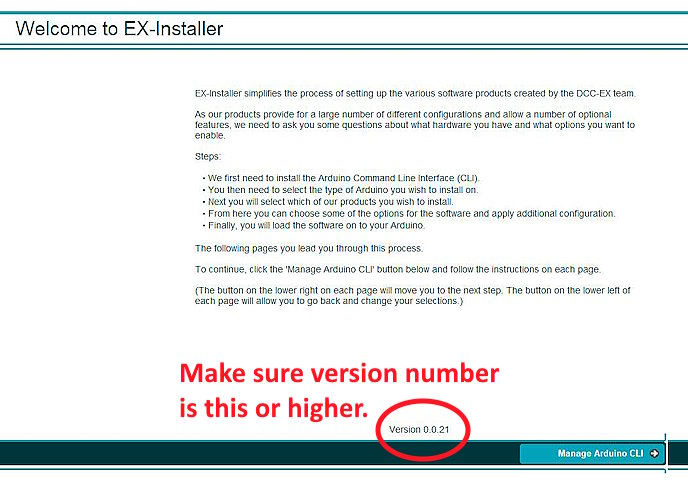
but that one Version 0.0.20 does not work with the Nucleo-F439Z1 as of 25-03-15.
If you run the installer and it is Version 0.0.21 that should work. While we are waiting for that version to be the default version you can download it here….
https://www.dropbox.com/scl/fi/ykn9e5xqjk4mfil7lgzy5/EX-Installer-Win64-Nucleo.zip?rlkey=n22p8h16ljp1gz7e2an6rd5vj&st=xf11ri77&dl=0
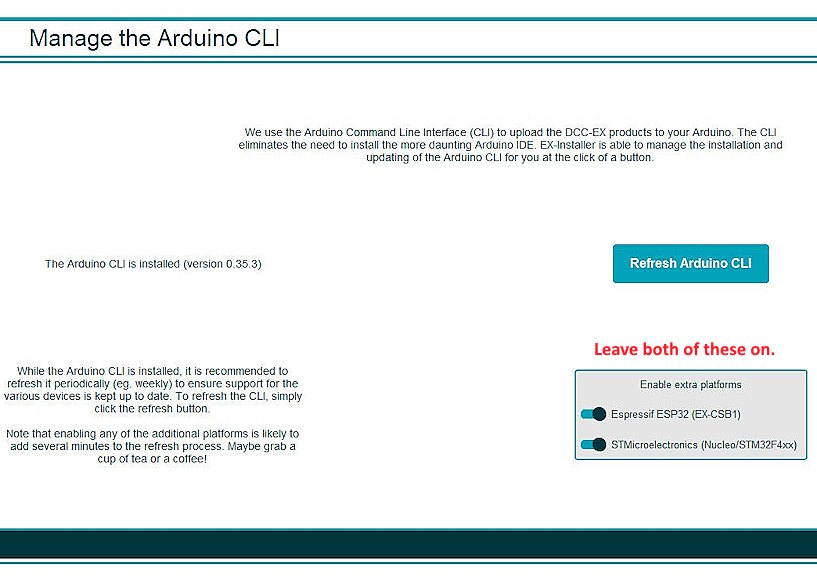
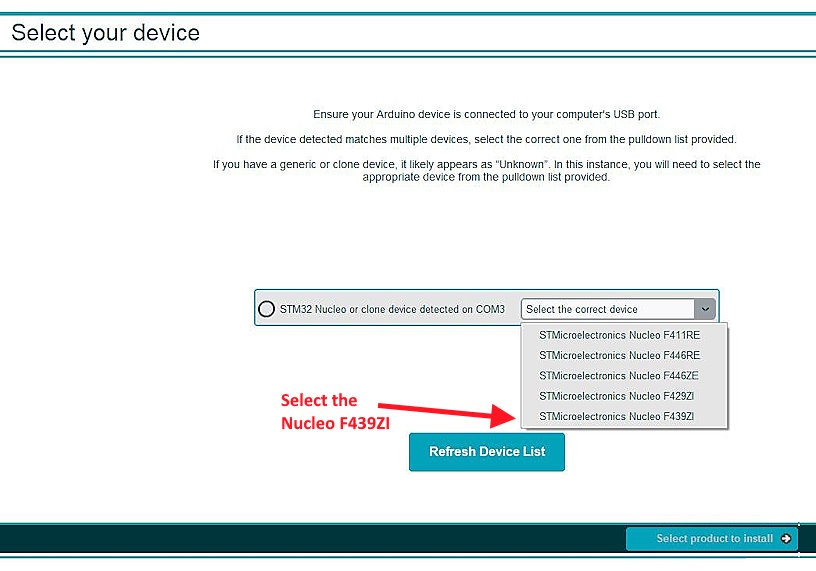
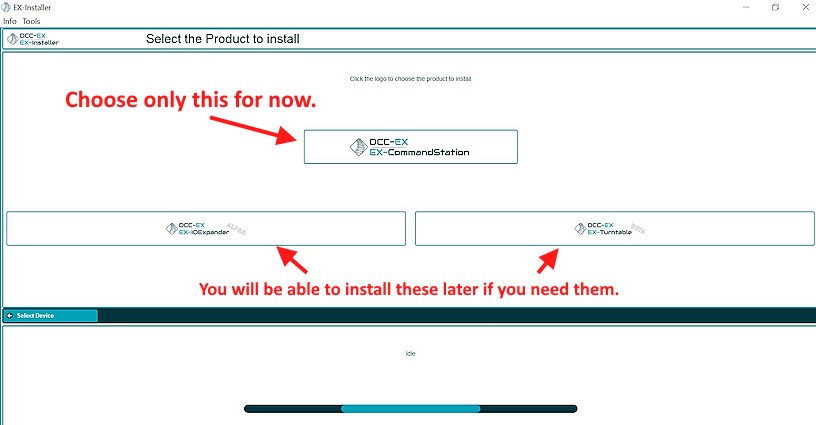
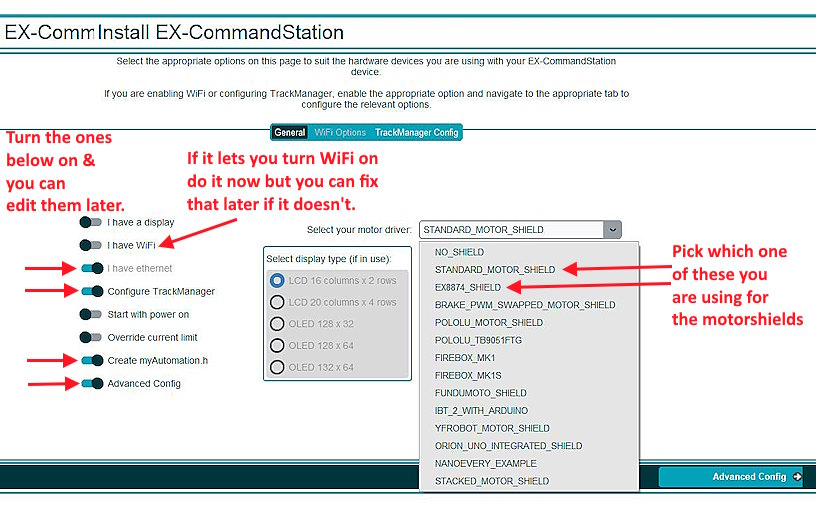
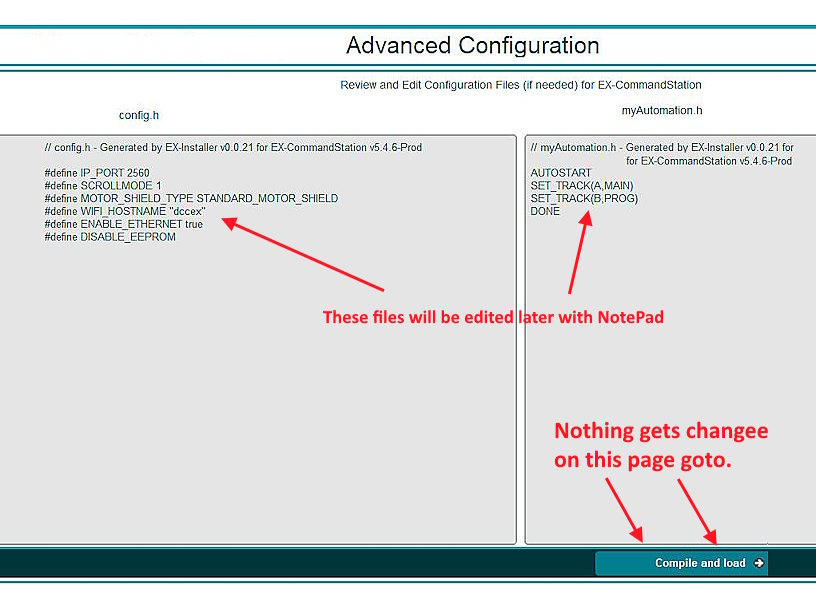
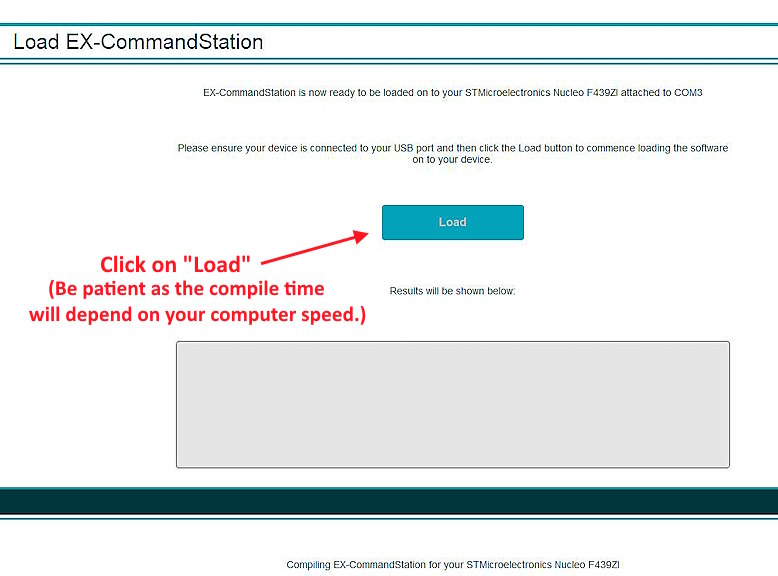
When you go to the link above you can use the download button to the right side in the middle of the display. Then go to your download folder and run the file there and follow the directions as shown next.
.
.
.
.
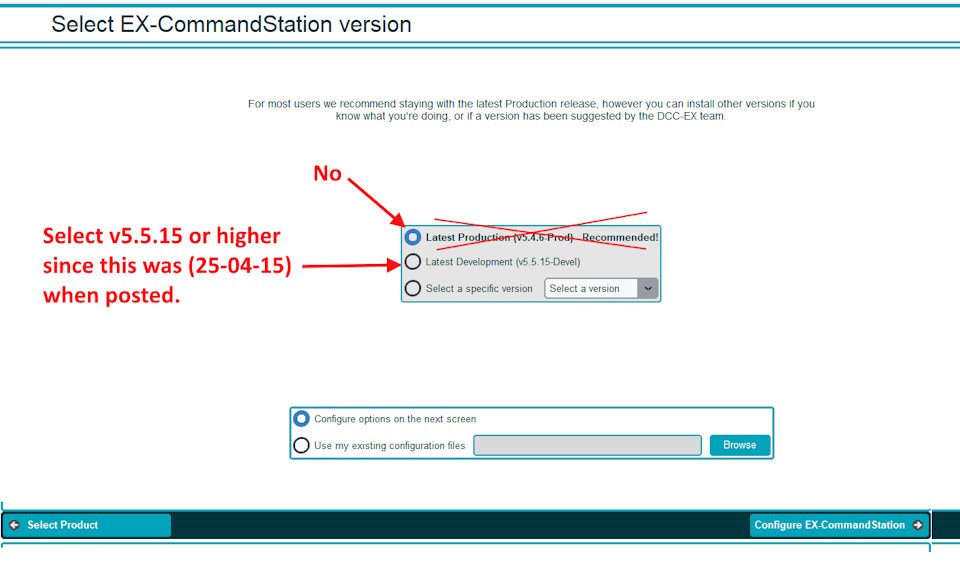
Note: At the time this was posted (25-04-15) the production version (v5.4.6) wasn’t working with the Nucleo install. V5.5.15 was working. The production version will change over time. Make sure you are using v5.5.15 or newer.
.
.
.
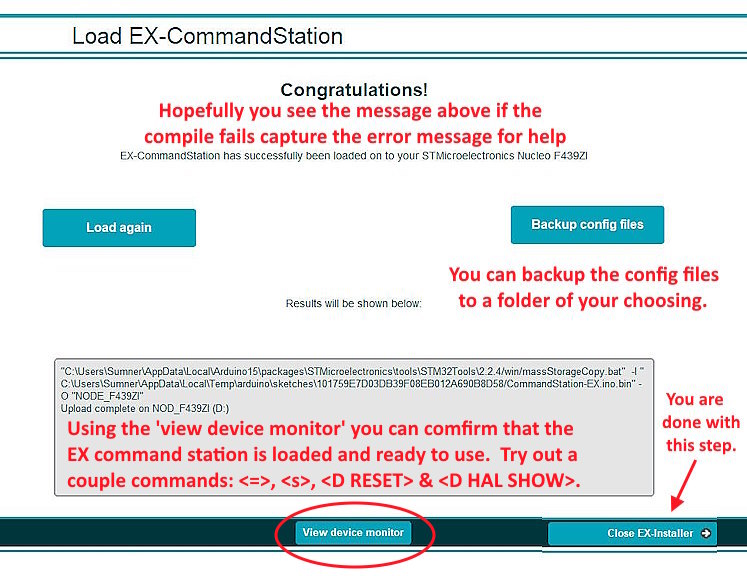
Be sure to use the device monitor with a few of the commands shown above. If the commands only echo back on the screen and show nothing else wait a minute for two and try again. If you still only see the command echoed on the screen and nothing else the load to the Nucleo didn’t work and you should go to the next step to get the upload to compile in a working result. If all is good skip this next step and move on to the next page.
-------------------------------------------------------------------------------------
NOTE: You only need to do the following if it appears that the upload to the Nucleo didn’t work (see above).
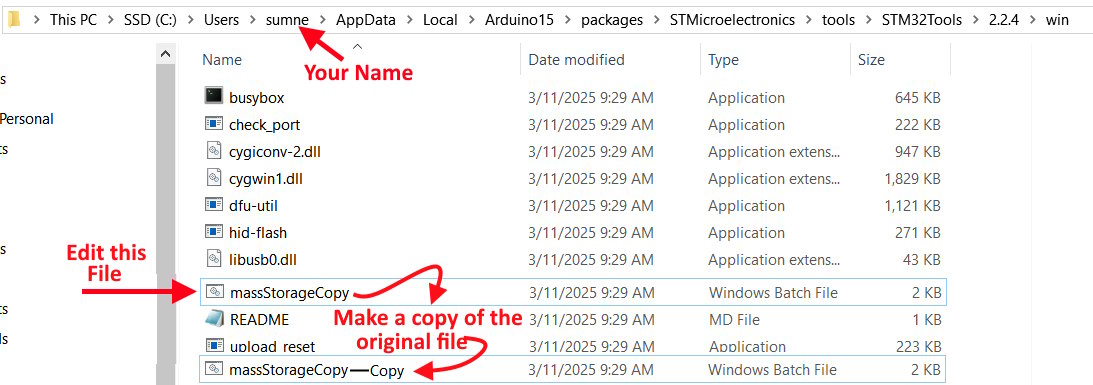
You will be editing one line of the batch file ‘massStorageCopy’ in the directory/folder shown at the top of the next image (your name might be an abbreviation of your name --- in the path mine is sumne vs. sumner.
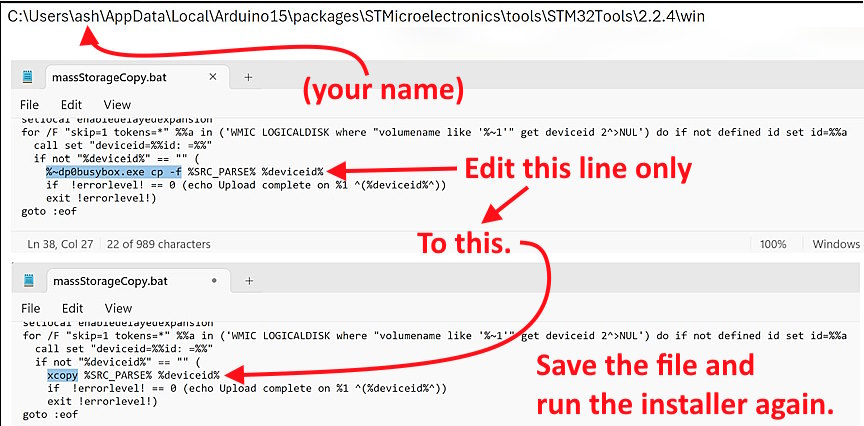
After moving to the directory/folder above edit the file (massStorageCopy) with Notepad or another text editor that will save it as a text file as shown next.
After editing the one line of the file and saving it as a text file run the installer again and now the commands that are sent in the Device Monitor should execute. If they don’t right away give it a minute and they should. If they don’t reach out for help.
-------------------------------------------------------------------------------------
On the next page we will edit the two config files.
=========================================
...........................On..............e.........Next Page If There Is One